
AI Features You Can Add to a Sports App MVP
Updated: Sep 1
Introduction
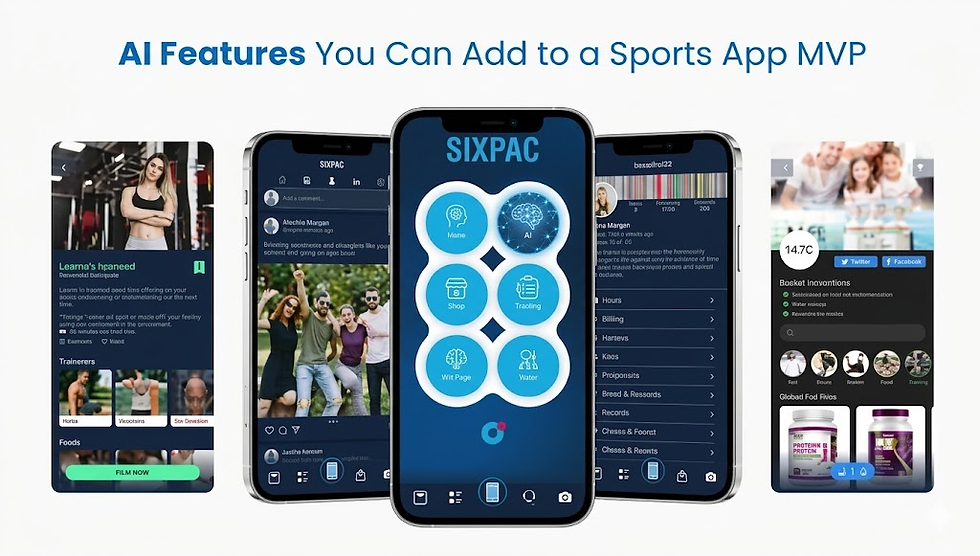
AI can make a sports product more personal, useful and efficient-but an MVP should not attempt to automate everything. The strongest AI sports MVP normally gives one primary user a faster or better way to complete one recurring task.
That could be training feedback, an editable match summary, personalised highlights or faster registration review. The feature must solve a real problem, use lawful data and produce a measurable outcome.
What Is an AI Sports MVP?
An AI-powered minimum viable product combines one core workflow with an AI capability to test customer value. It is usable but narrower than a complete platform.
AI may classify video, recommend content, extract fields, summarise statistics or answer questions. Because outputs are inferred, the MVP needs evaluation, correction and fallback workflows.
Traditional sports feature | AI-enabled MVP feature |
Manually tagged clip | Automatically suggested highlight |
Static training plan | Personalised recommendation with coach approval |
Keyword search | Natural-language sports search |
Manual match report | Editable AI-generated summary |
Standard notification | Behaviour-based smart notification |
Manual form review | Automated field extraction with confidence score |
How to Choose AI Features for Sports MVP Development
Begin with the problem. Identify the user, time-consuming task and supported decision. Audit available data and confirm ownership, consent and licensing.
Define a result such as time saved, clips accepted, questions resolved or weekly retention. Without a useful output and metric, AI is premature.
The SportsFirst MVP Lab narrows the audience and workflow, tests the riskiest assumption and learns before expansion.
Best AI Features for Athlete and Coaching Apps
1. Personalised training recommendations
AI can suggest exercises or intensity from an athlete’s goals, history and feedback. Begin with one sport, approved exercises and coach approval. Health information should prompt review, not diagnosis.
2. Training and match summary generator
A summary generator turns verified statistics and notes into an editable report. It is a strong MVP candidate with a clear metric: minutes saved. Every claim should trace to its source, and coaches approve publication.
3. Conversational AI sports coach
A sports assistant can answer questions about drills, rules, schedules and records. Ground it in approved sources for one sport and escalate medical, safeguarding or eligibility questions. Retrieval, permissions and boundaries reduce hallucinations.
4. Readiness and wellness insights
An MVP can compare wellness check-ins with an individual baseline. It should show what changed and invite a conversation-not declare readiness or predict injury.
Computer Vision Features for an AI Sports MVP
5. Automated highlight detection
Highlight detection finds candidate moments using scores, movement, audio or event data. Process uploaded video, support two or three events and let editors correct clips.
It can feed a sports streaming app. Measure precision, acceptance and editing time saved.
6. Technique and form analysis
Pose estimation can measure selected angles in a swing, serve, shot or kick. Limit the MVP to one movement, guided recording and explainable metrics.
Computer vision for sports is affected by camera motion, occlusion and lighting. It should support coaches, never diagnose injury.
7. Player, ball and video tagging
A narrow feature can track athletes or a ball in consistent clips and create searchable tags. Start with post-session processing and manual correction; live multi-sport tracking belongs later.
AI Features for Fan Engagement Apps
8. Personalised content feeds
Ask fans for preferences, then refine recommendations using engagement. Let users understand and reset them. Track clicks, repeat sessions and acceptance.
9. Automated recaps and player insights
Generative AI can turn event data into recaps and social drafts. Begin with one competition format, human approval and links to verified statistics.
10. Fan chatbots and smart notifications
A grounded chatbot can answer schedule, venue or ticket questions. Smart notifications can flag a starting player, close finish or new highlight. Timestamp live information and give users granular controls.
Betting experiences need age, location, responsible-gambling and regulatory controls. Sports betting software development must separate facts from predictions and never promise outcomes.
Build an AI-Powered Sports App MVP That Stands Out
AI Features for Clubs, Leagues and Administrators
11. Registration and DocumentAI
AI can classify registrations or certificates, extract fields and flag missing information. Support one or two document types, display confidence and route uncertainty to review. Protect minors’ and health data with strict access and retention controls.
12. AI scheduling assistant
A scheduling assistant can propose fixtures using availability, venues and rules. It should flag conflicts and require administrator approval.
13. Eligibility and support assistants
A retrieval assistant can answer registration questions and cite policy. Humans retain authority over eligibility, discipline and safeguarding; ambiguous cases escalate with context.
AI Features for Scouting and Recruitment
AI can create player profiles and natural-language search from verified data. It must not make final recruitment decisions: missing video, competition strength and selection bias can distort rankings. Show evidence and let scouts override weights.
Which AI Sports MVP Features Should You Prioritise?
AI feature | Complexity | Data needed | MVP suitability |
Knowledge-based chatbot | Low | Approved documents | Excellent |
Match summary generator | Low | Structured statistics | Excellent |
Smart notifications | Medium | Preferences and events | Strong |
Document extraction | Medium | Representative forms | Strong |
Personalised feed | Medium | Preferences and behaviour | Strong |
Highlight detection | Medium–high | Consistent match videos | Good when narrow |
Technique analysis | High | Guided movement videos | Good for one movement |
Player and ball tracking | High | Consistent labelled video | Limited |
Injury prediction | Very high | Large clinical-quality dataset | Avoid in an MVP |
Summaries, grounded assistants and documents are faster to validate than custom vision, which requires representative footage and a narrow target.
Turn Your Sports App Idea Into an AI-Powered MVP
How to Build an AI Sports App MVP
Phase 1: Product and data discovery
Interview users, map the workflow, audit data and resolve consent, licensing and decision risks.
Phase 2: AI proof of concept
Test the riskiest capability on representative data. Compare a non-AI baseline and ask domain experts whether outputs are useful.
Phase 3: Sports mobile app development
Build authentication, the workflow, AI service, review interface and analytics. Separate models from business logic. Use sports cloud and DevOps services to monitor latency, cost and quality.
Phase 4: Pilot and improve
Pilot with representative users, record corrections and expand only after quality and value targets are met.
Build AI Models or Use Existing APIs?
Use existing models for general summarisation, translation or extraction. Consider custom training for specialised events, weak generic performance, self-hosting or defensible proprietary data.
A hybrid combines foundation models, approved retrieval, business rules and sport-specific vision. Custom sports software development can connect them without vendor lock-in.
Privacy and Responsible AI in Sports Software Development
Sports data may include health, biometrics, location and minors. Minimise collection, explain use, secure data, restrict access and define deletion.
Require review for health, selection, eligibility, safeguarding and discipline. Test relevant positions, ages, genders, skin tones, disabilities and environments. Let users correct data and challenge consequential outputs.
The Missing Angle: Build the AI Correction Workflow
Competitors often ignore what happens when AI is wrong. Every AI sports MVP should support acceptance, rejection and editing while preserving the original, correction, reviewer and override reason.
This protects users and creates labelled examples. Without it, errors disappear and the product cannot improve systematically.
Citation-Ready Framework for Selecting an AI Sports MVP Feature
Decision question | Evidence required |
Who is the primary user? | One defined athlete, coach, fan or administrator persona |
What problem does AI solve? | A frequent task or decision with measurable friction |
Is representative data available? | Legal access, sufficient quality and relevant examples |
Is the output high-impact? | Assessment of health, selection, eligibility or discipline risk |
Can a human review it? | Approval, correction and escalation workflow |
How is success measured? | Accuracy, time saved, adoption or retention target |
What happens when AI fails? | Warning, fallback and manual process |
Can the feature scale? | Forecast of inference, video, storage and support costs |
Cost of AI Sports MVP Development
Cost depends on scope, data, models, interfaces, annotation, video volume, infrastructure and security. A knowledge assistant usually costs less than sport-specific tracking.
Budget for data preparation, evaluation, inference, review, support and improvement. A credible sports software development company estimates defined inputs and volumes, not one universal price.
Choosing the Best Sports App Development Company
Look for sports workflow, AI evaluation, mobile, video, cloud and privacy experience. Ask what to exclude, what data is required and how failure appears.
The right provider of sports app development services will build the correction and monitoring workflow alongside the model. Strong sports mobile app development makes AI useful during real training, match-day and administrative conditions—not only in a controlled demo.
Launch an AI Sports MVP That Solves One Problem Well
The best MVP applies one AI capability to a recurring problem, measures results and learns from corrections. Expand only when users demonstrate real value.
Looking to Launch a Sports App With the Right AI Features?
Frequently Asked Questions About AI Sports MVPs
1. What is the easiest AI feature to add to a sports app MVP?
A grounded support chatbot or match-summary generator is often easiest. Both can use existing models and require less custom training than computer vision.
2. Can an AI sports MVP include video analysis?
Yes, with narrow scope. Start with one sport, one camera setup and two or three events or movement metrics. Broad live multi-sport analysis is not a realistic MVP.
3. How much data does an AI sports feature need?
It varies. A chatbot may use existing documents; a custom vision model may require hundreds or thousands of representative labelled examples. Test sufficiency through a proof of concept.
4. Should AI automatically change an athlete’s training plan?
AI may recommend and explain a change, but a coach or qualified practitioner should approve consequential training or health decisions.
5. How long does sports MVP development take?
A focused MVP may take several weeks to a few months. Timing depends on scope, data readiness, integrations and whether the feature uses existing services or custom model development.
