
How to Build an AI-Powered Golf Analytics App Using Golf Stats API
Updated: Dec 30, 2025
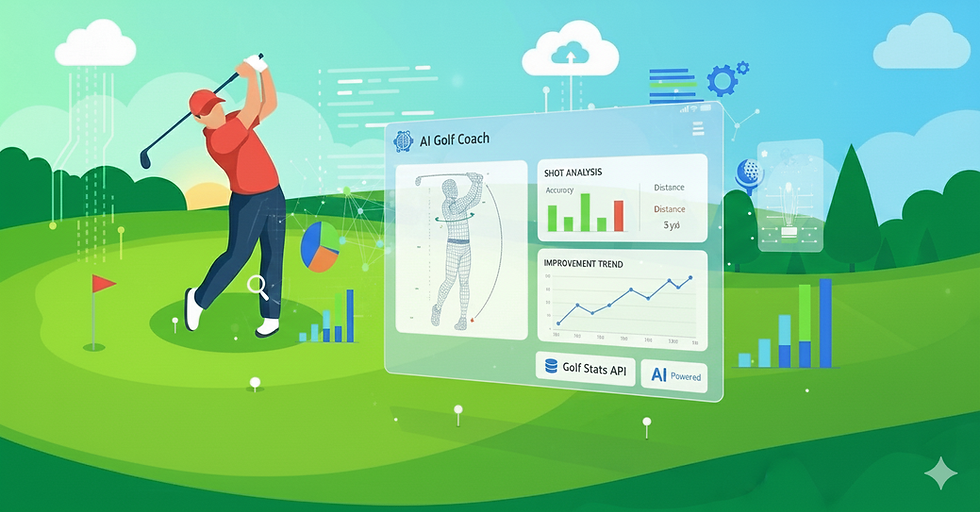
Golf has quietly become one of the most data-rich sports in the world. From swing mechanics and shot dispersion to course strategy and player trends, today’s golfers expect insights, not just scores.
That’s where AI comes in.
By combining modern machine learning models with structured golf data, product teams can build applications that help golfers play smarter, train better, and improve faster. At the center of this shift is the AI golf analytics API—the engine that transforms raw golf stats into actionable intelligence.
In this guide, we’ll walk through how to build an AI-powered golf analytics app using a Golf Stats API, covering architecture, data pipelines, AI use cases, and practical implementation considerations.
Why AI Is the Future of Golf Analytics
Traditional golf apps answer questions like:
What was my score?
How far did I hit the ball?
How many putts did I take?
AI-driven golf apps answer deeper questions:
Why did my score change?
Which swing patterns are hurting consistency?
What practice focus will lower my handicap fastest?
How should I play this course based on my strengths?
This leap from reporting to prediction is what makes an AI golf analytics API so powerful.
Core Building Blocks of an AI Golf Analytics App
Before writing any code, it’s important to understand the core components of a modern golf analytics platform.
1. Golf Data Source (Golf Stats API)
This is where raw data comes from:
Shot-by-shot stats
Hole and course data
Player performance metrics
Historical scoring trends
This layer powers golf data analytics software and determines the quality of everything downstream.
2. Analytics & AI Layer
This is where machine learning models:
Detect patterns
Generate predictions
Classify performance issues
Recommend actions
3. Application Layer
The frontend where users see:
Dashboards
Visualizations
Insights
Personalized recommendations
What Data You Need from a Golf Stats API
To build meaningful AI features, your Golf Stats API should provide (or support):
Shot distance and dispersion
Fairways hit / missed
Greens in regulation
Putting performance
Historical round data
Course difficulty context
This data feeds golf performance tracking API use cases and allows AI to learn over time.
AI Use Cases That Actually Matter to Golfers
Let’s move beyond buzzwords and focus on AI features users care about.
1. AI-Driven Performance Trend Analysis
By feeding historical stats into models, you can:
Detect improvement or decline trends
Identify consistency gaps
Flag performance plateaus
This is one of the most common AI sports analytics API applications and works exceptionally well in golf due to its structured data.
2. Swing & Shot Pattern Intelligence
With enough shot-level data, AI can:
Identify common miss patterns
Compare performance by club
Correlate swing tendencies with outcomes
When paired with a golf swing analysis API, this becomes a powerful coaching tool—especially for advanced users and academies.
3. Predictive Scoring & Course Strategy
AI models can predict:
Expected score on a given course
Risk vs reward scenarios
Optimal strategy based on player profile
This transforms golf analytics from passive reporting into decision support.
4. Personalized Practice Recommendations
Instead of generic tips, AI can say:
“Improving approach shots from 120–150 yards will reduce your average score by 2.1 strokes.”
That level of personalization is only possible with an AI golf analytics API layered on top of clean data.
Designing the AI Architecture
Golf Stats API
   ↓
Data Normalization Layer
   ↓
AI / ML Models
   ↓
Insight Engine
   ↓
Golf App UI
Example: AI Performance Analysis Flow
Below is a simplified conceptual example showing how golf stats might be analyzed using an AI model.
import pandas as pd
from sklearn.cluster import KMeans

# Load player shot data
data = pd.read_csv("player_shots.csv")

# Select key performance features
features = data[['shot_distance', 'accuracy', 'lie_quality']]

# Train a simple model to identify patterns
model = KMeans(n_clusters=3)
data['pattern_group'] = model.fit_predict(features)

# Identify high-risk shot patterns
risk_patterns = data[data['pattern_group'] == 2]
AI + Golf Stats: Common Mistakes to Avoid
From real-world projects, here are mistakes teams often make:
Using too little historical data
Treating AI outputs as “facts” instead of probabilities
Overloading users with charts instead of insights
Ignoring explainability (“Why did AI say this?”)
Building AI before validating the core user problem
The best AI golf analytics API implementations are subtle, not flashy.
Security, Privacy & Trust Considerations
Golf data may not seem sensitive—but it still matters.
Best practices:
Secure API authentication
Role-based access
Clear data ownership policies
Transparent AI recommendations
Trust is critical, especially for competitive and coaching-focused platforms.
Why Golf Is Perfect for AI-First Apps
Golf has unique advantages:
Highly structured data
Repeatable actions
Strong user engagement
Clear performance outcomes
This makes it one of the best sports for AI sports analytics API adoption.
Why SportsFirst Builds Smarter Golf Analytics Platforms
At SportsFirst, we don’t just build apps—we build sports intelligence systems.
Our golf expertise includes:
API-first golf platforms
AI-driven analytics engines
Performance tracking systems
Scalable sports data architectures
We understand both golf workflows and AI system design.
Final Thoughts
An AI-powered golf analytics app isn’t about replacing coaches or intuition—it’s about augmenting decision-making with data-driven clarity.
By combining a robust Golf Stats API with a well-designed AI golf analytics API, you can:
Deliver deeper insights
Improve player outcomes
Differentiate your product in a crowded market
The future of golf apps isn’t just digital—it’s intelligent.
FAQ
1. Do I need AI to build a golf analytics app, or is basic stats tracking enough?
Basic stats tracking is a good starting point, but it only tells golfers what happened. AI adds the real value by explaining why it happened and what to do next. An AI-powered golf analytics app helps users spot patterns, predict outcomes, and focus their practice more effectively—something simple dashboards can’t do.
2. What kind of golf data is required to build meaningful AI insights?
To generate useful AI insights, you need more than scores. Shot-level data, distances, accuracy, lie conditions, putting stats, and historical rounds are especially valuable. The richer and more consistent the data from your Golf Stats API, the smarter and more personalized your AI recommendations become.
3. Is AI golf analytics only useful for professional or elite golfers?
Not at all. While advanced players benefit from deep performance analysis, amateur and recreational golfers often see the biggest gains. AI can highlight simple improvements—like club selection or approach consistency—that help everyday golfers lower scores without complex coaching.
4. How complex is it to add AI features to a golf analytics app?
It depends on the scope. Basic AI features like trend detection or performance clustering are relatively straightforward. More advanced capabilities—such as swing pattern analysis or predictive scoring—require more data, tuning, and ongoing model refinement. Many teams start small and expand AI functionality over time.
5. How do you make AI insights understandable and trusted by golfers?
Clarity is key. Instead of overwhelming users with charts or technical terms, the app should translate AI output into simple, actionable insights. Explaining why a recommendation is made—such as linking it to recent performance trends—builds trust and keeps golfers engaged.

Comments